Launch kit · Film
Renor in 60 seconds.
Seven shots, 60 seconds, recorded from the real app. The story follows one invented example, Larkspur Cycles, from a question to a working app, a website and a project kept for later. Record at 1920 × 1080; every on-screen line also works as a caption.
Timeline
0:00
0:05
0:14
0:26
0:38
0:46
0:53
Shot list
Shot by shot.
 0:00–0:05
Cold open
- Screen and action
- Renor Chat, empty state with the orb. Black frame. The orb fades in and breathes once. Slow push in towards the message box.
- On screen
- “One workspace.”
- Voice-over
- “What if one workspace could think, build and keep it all?”
 0:05–0:14
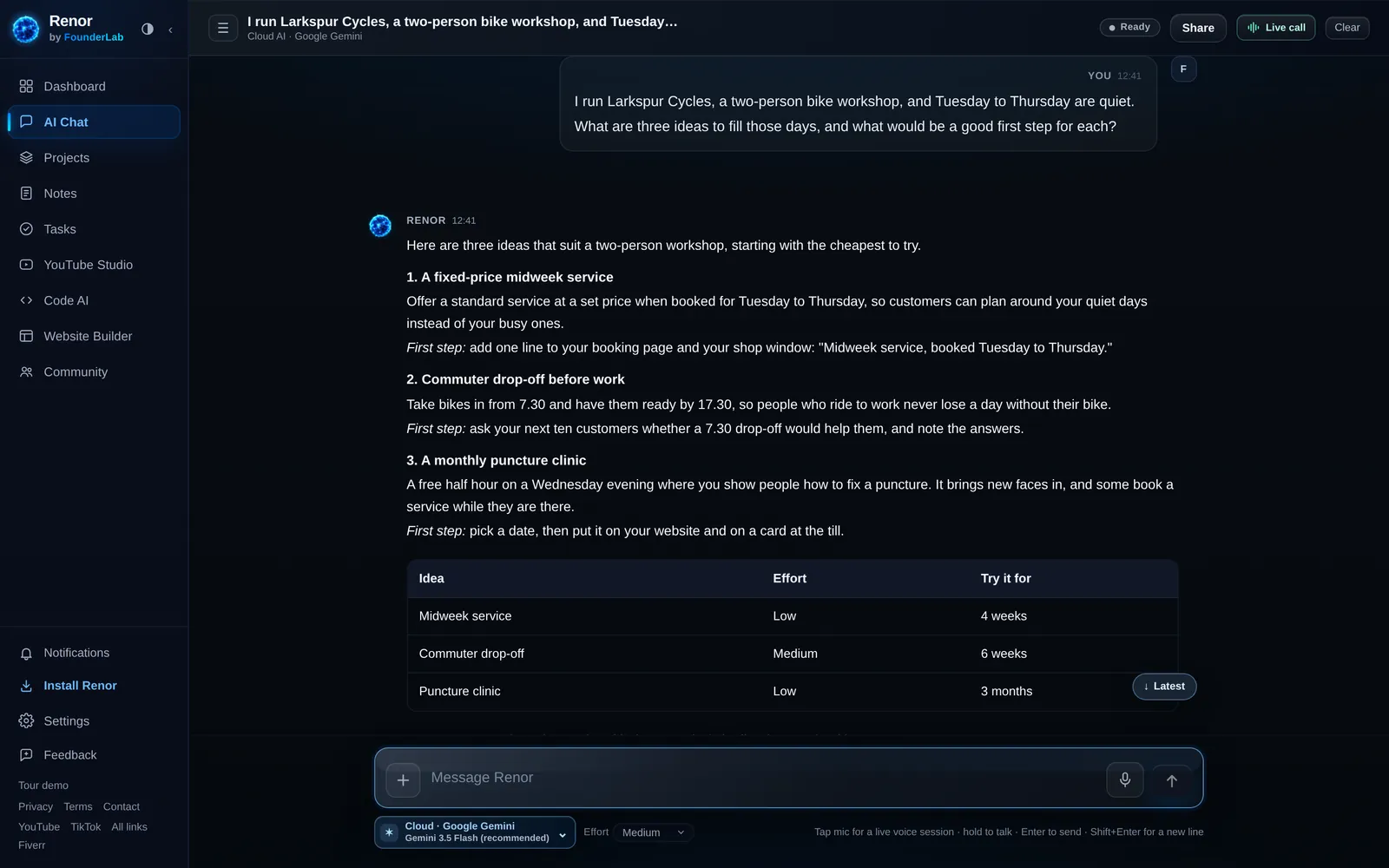
Ask
- Screen and action
- Chat: the Larkspur Cycles question and answer. The question is typed in real time. The answer streams in; hold on the comparison table.
- On screen
- “Ask anything. Get a plan you can use.”
- Voice-over
- “Meet Renor. Ask a real question about your work and get an answer you can act on today.”
 0:14–0:26
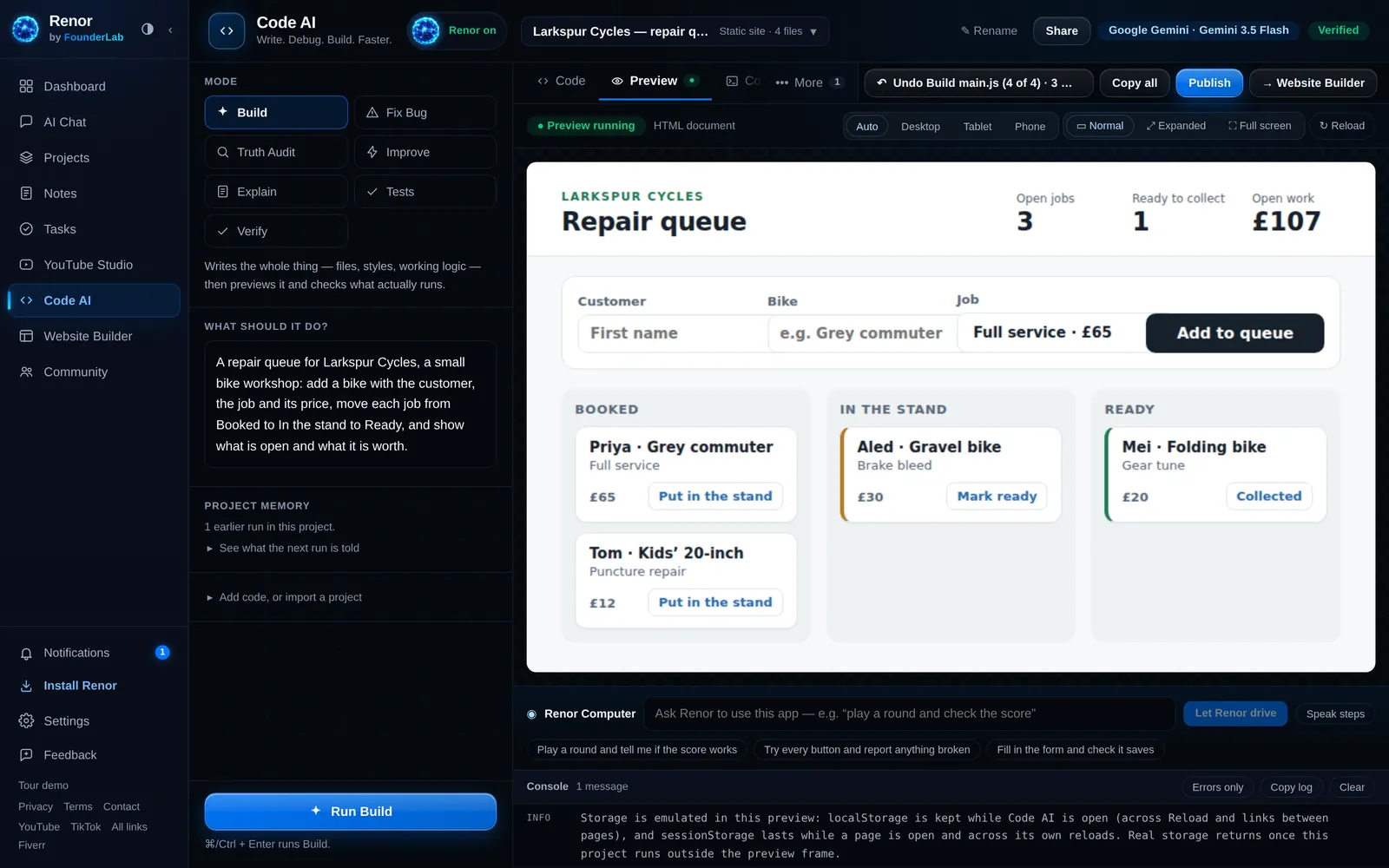
Build an app
- Screen and action
- Code AI: the repair queue build, then its live preview. Brief pasted, Run Build pressed. Files appear one by one; cut to the preview. Click “Put in the stand” and the totals update. Zoom on the Verified badge.
- On screen
- “Describe it. Watch it run.”
- Voice-over
- “Describe an app and Code AI writes it, runs it in a live preview, and checks it against what you asked for.”
 0:26–0:38
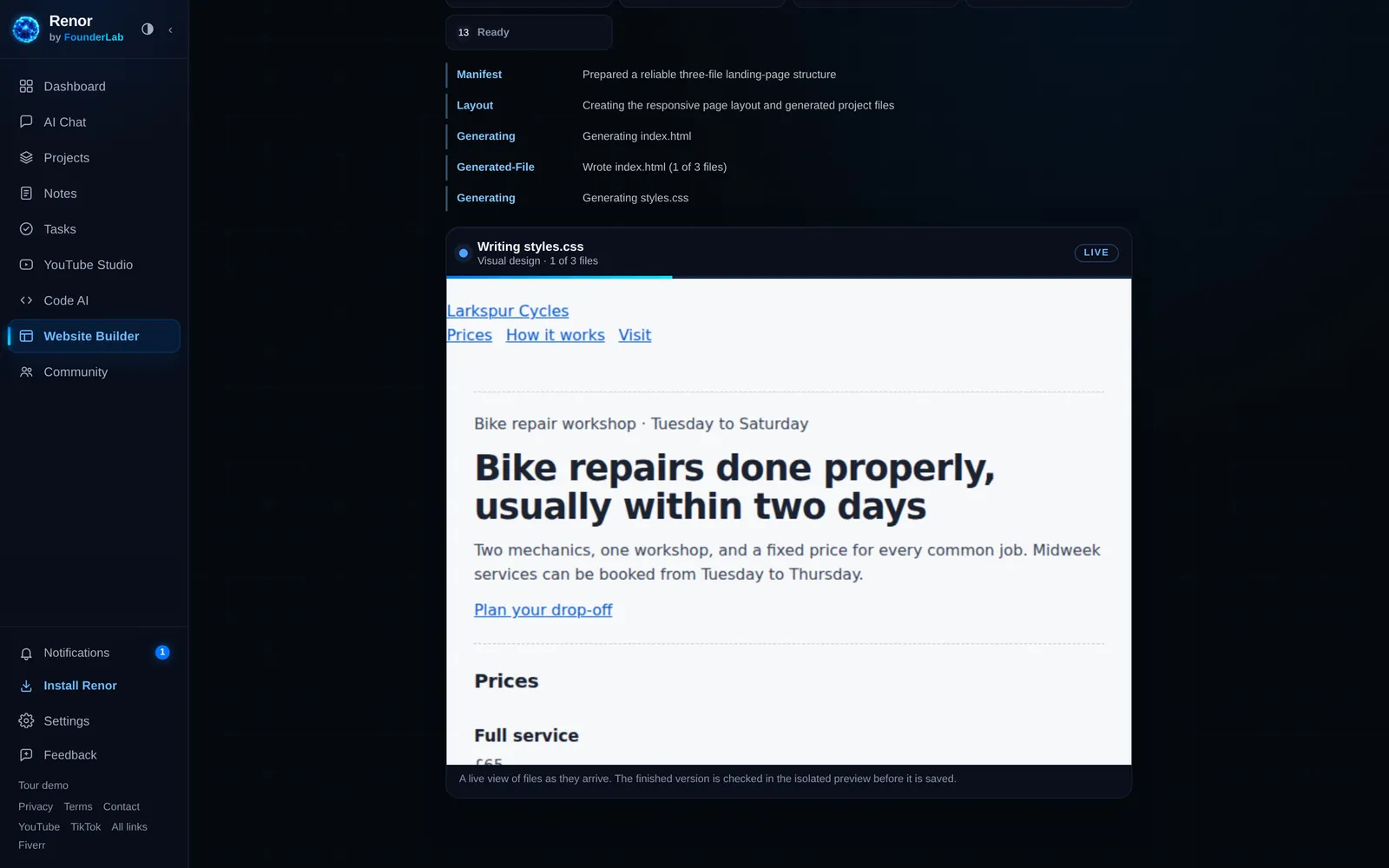
Build a website
- Screen and action
- Website Builder: live preview filling in, then the saved site. The brief with real prices and hours. Approve the plan. The page fills in file by file; the styles land and the site comes alive. Switch between desktop and phone size.
- On screen
- “Your facts. Your website.”
- Voice-over
- “Give it your real prices and hours, and the Website Builder writes the site in front of you.”
 0:38–0:46
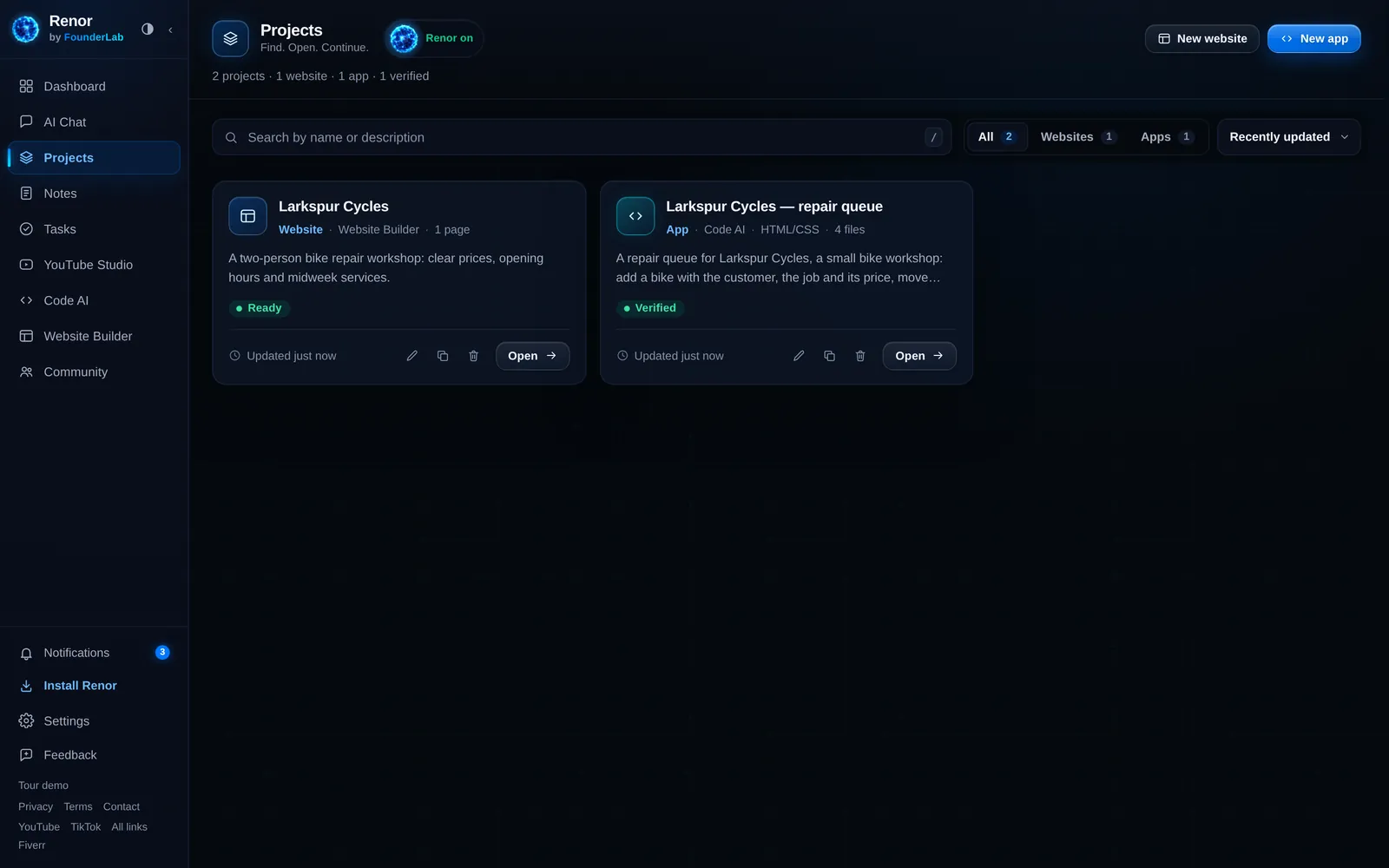
Keep it
- Screen and action
- Projects room with both projects. Pull back to Projects. Both cards slide in. Open the app straight from its card.
- On screen
- “Everything you make, in one place.”
- Voice-over
- “Everything you make lands in Projects, ready to pick up where you left off.”
 0:46–0:53
Talk to it
- Screen and action
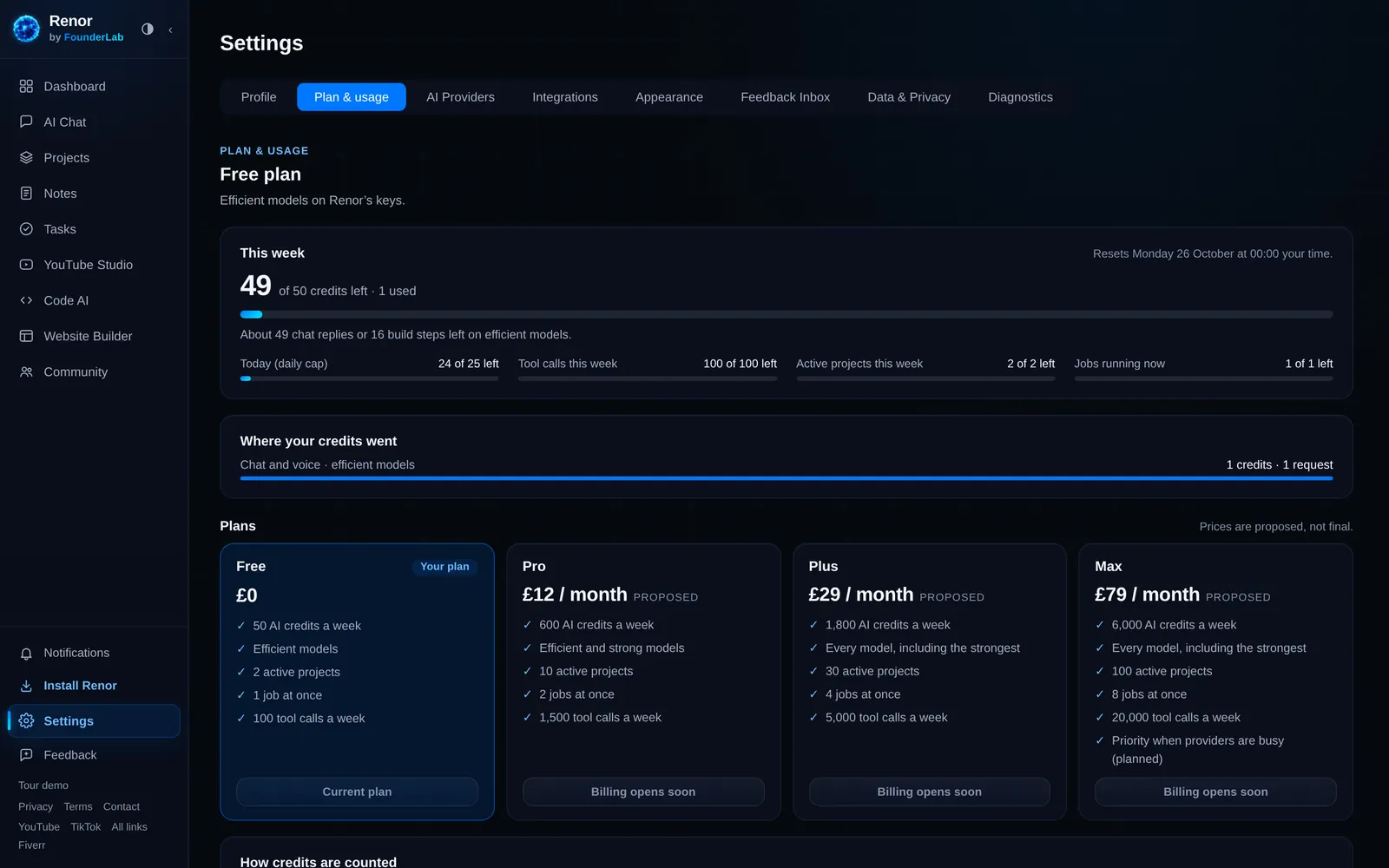
- Chat live call, then Plan & usage. Tap Live call; the orb reacts as the voice answers. Quick cut to Plan & usage showing the weekly credits.
- On screen
- “Talk, listen, and see your usage.”
- Voice-over
- “Talk to it out loud, choose your model, and always see where you stand.”
- 0:53–1:00
End card
- Screen and action
- Brand end card (graphic, not an app screen). The orb settles above the wordmark. The website address and “Join the private beta” fade up.
- On screen
- “Renor by FounderLab. Join the private beta.”
- Voice-over
- “Renor, by FounderLab. Join the private beta.”
Recording notes
- Record every app shot from the real Renor app. Do not mock screens, and keep the model label visible where the app shows it.
- Say on screen, at least once, that Larkspur Cycles is an invented example.
- Voice-over runs at about 2.4 words a second; leave a beat of silence at each cut.
- No prices in the film: paid plans are proposals until billing is approved.
Explore FounderLab
Everything else for the launch.
- Launch kitGraphics, real screenshots, short descriptions and the 60-second film storyboard.
- RenorThe AI workspace for chat, code, websites and projects, with every feature’s status.
- Join the private betaTell us what you want to build. The founder reads every request and replies.
- Zero to ProofThe build log: what was built, what broke and what was actually proven.